
eTree
Blazing-fast, cross-platform terminal directory tree viewer and local reporting engine. Visualize deep hierarchies, filter with regex precision, stream on-the-fly SHA-256 hashes, and export directly to HTML, Mermaid diagrams (.mmd), Graphviz DOT, JSON, CSV, and TSV.
etree.exe callable from any terminal prompt. Single native PE32+ binary; no external runtime dependencies.
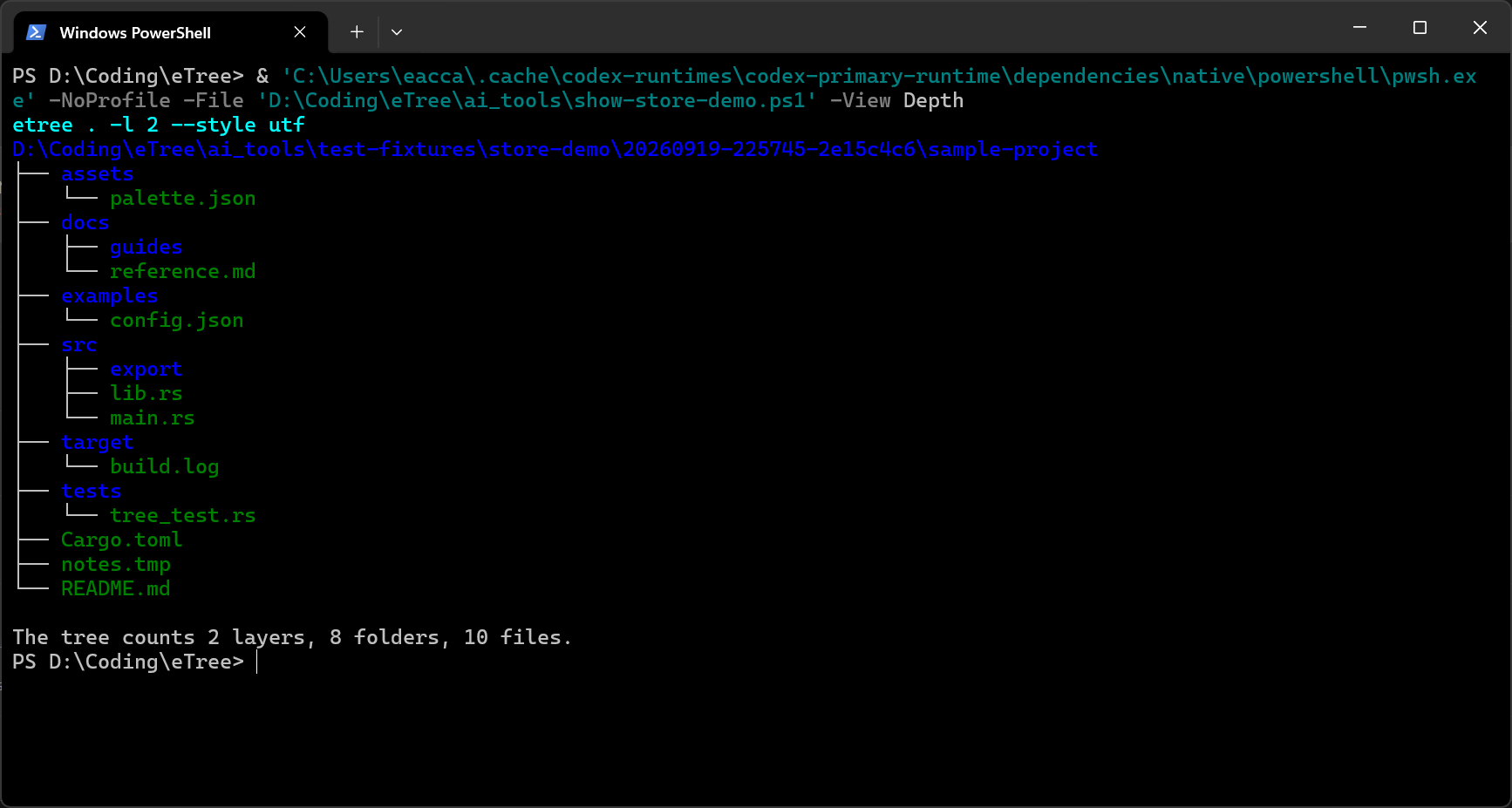 01: Depth Limiting
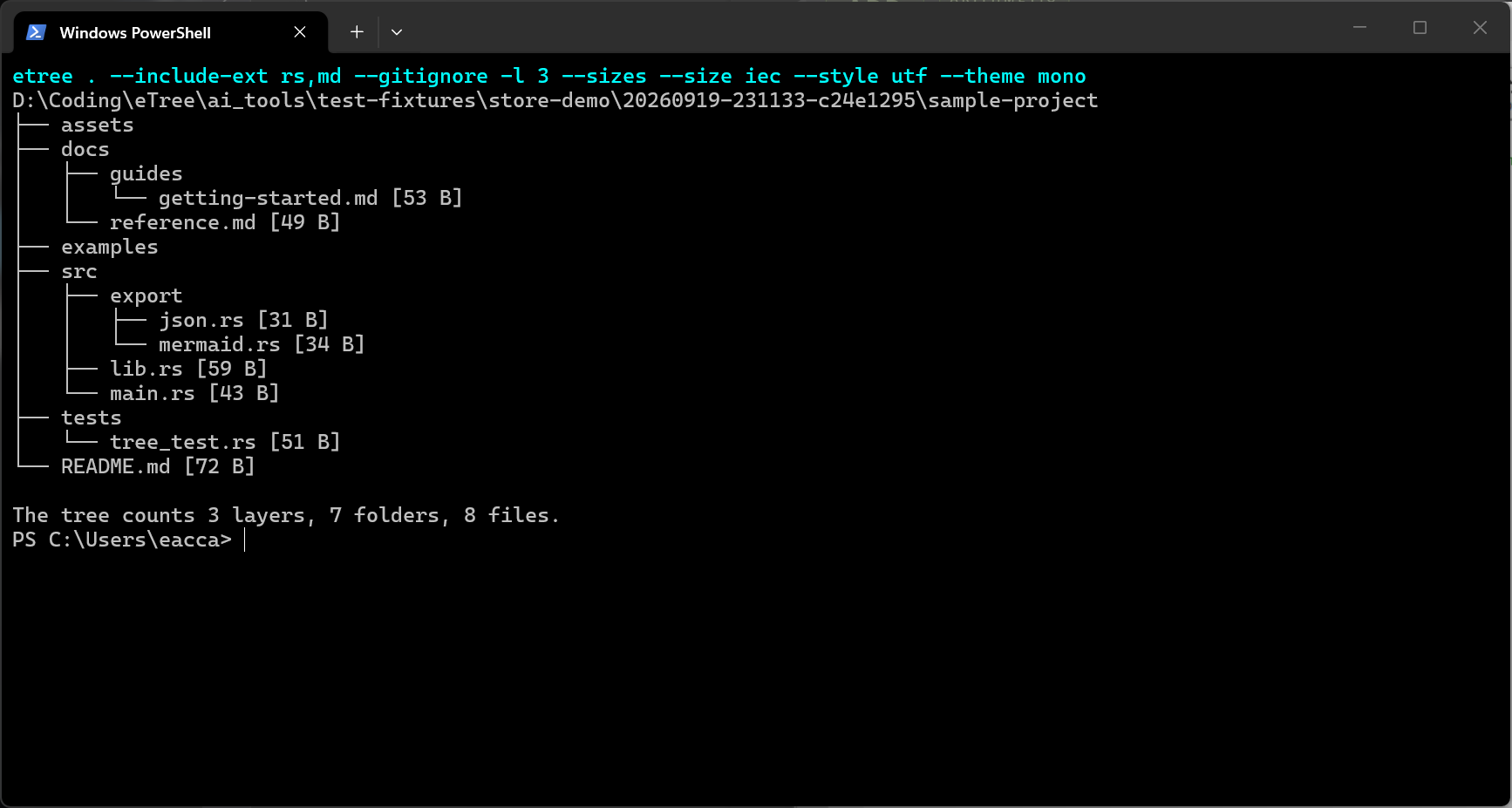 02: Regex Filter
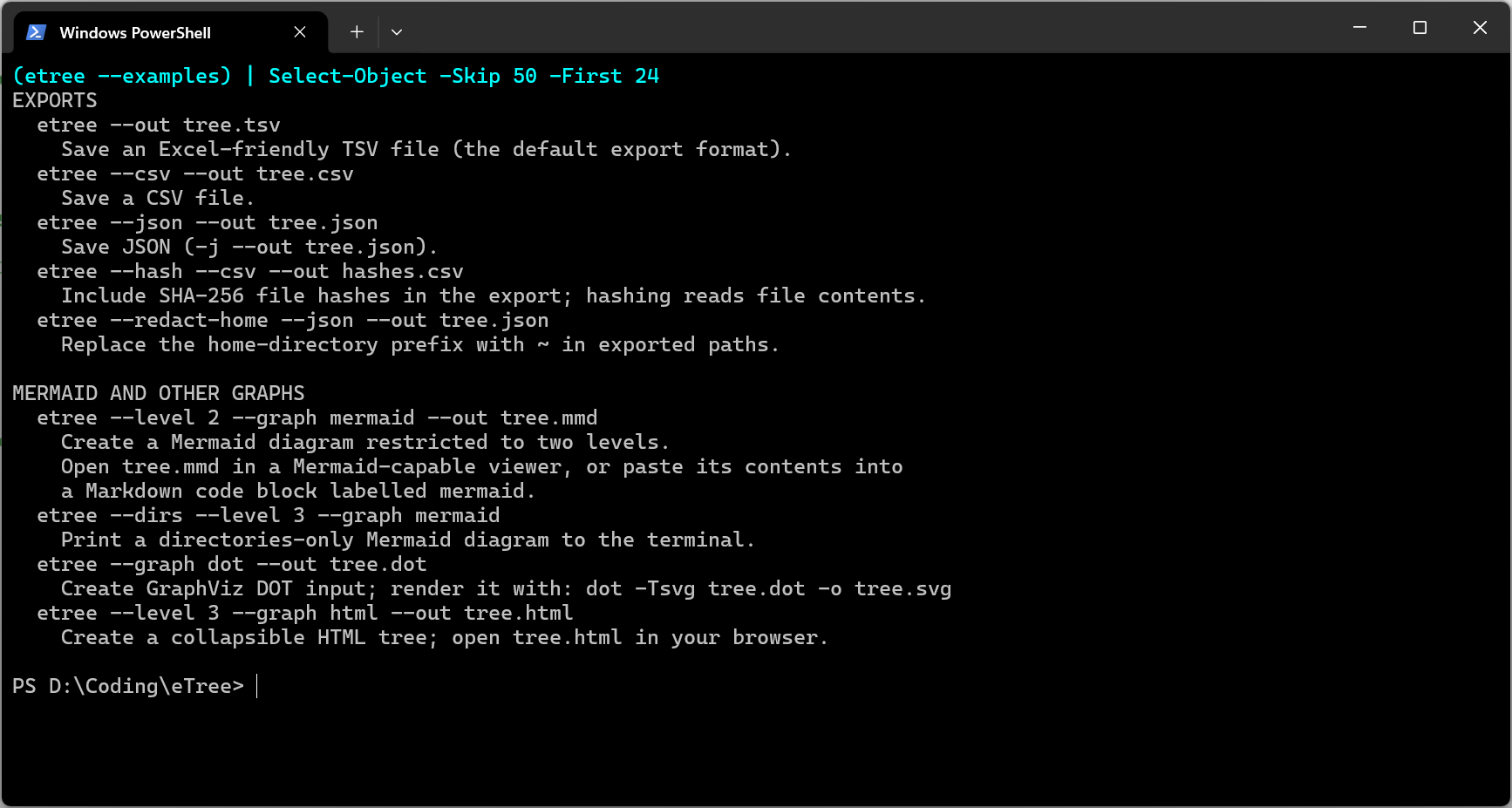 03: CLI Switches
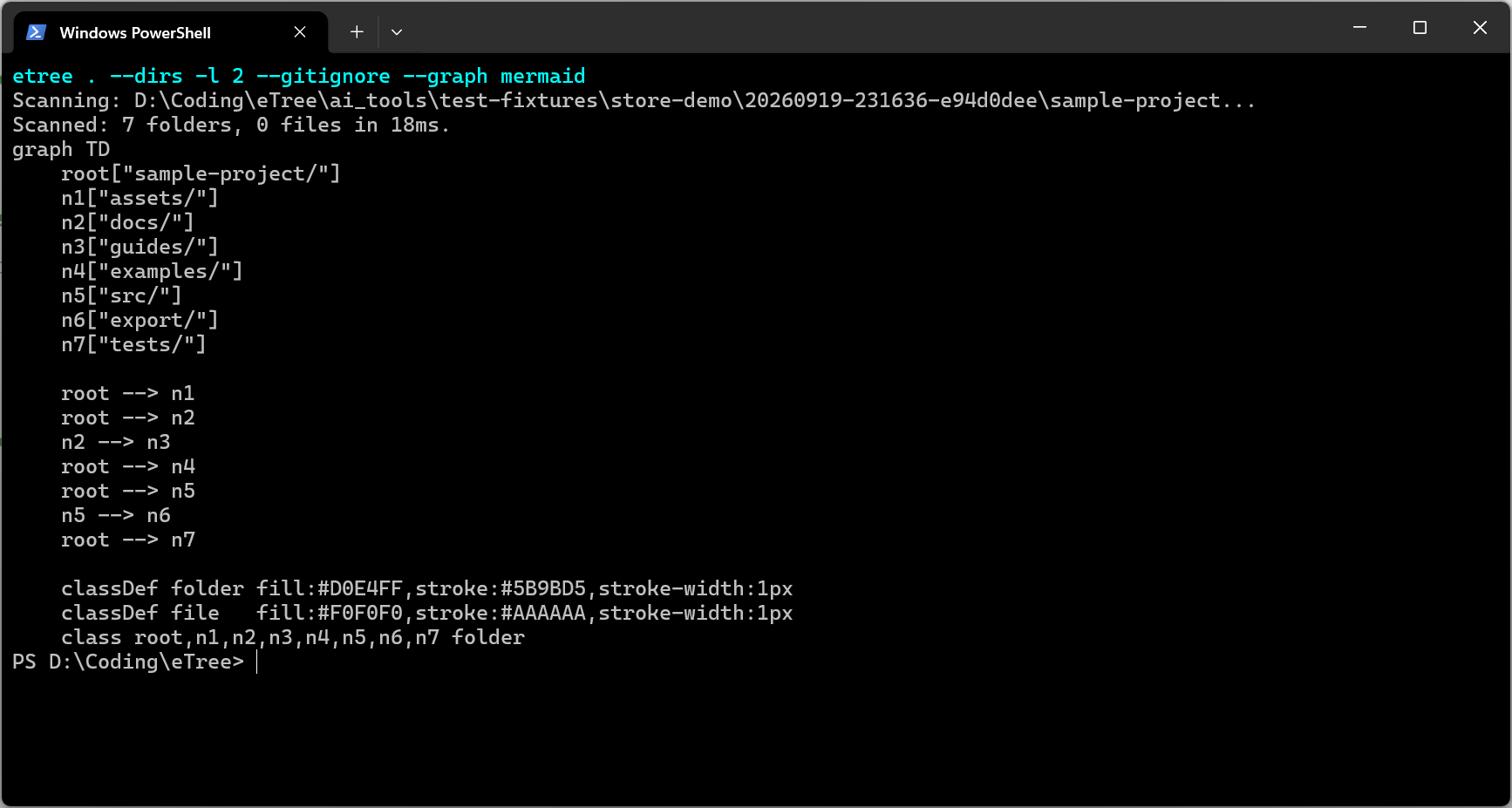 04: Mermaid Export
Caption: Depth-Limiting Traversal: -l 2 or /L2 with clean tree branches
>_ Core Capabilities & Architecture
eTree was engineered to bridge terminal speed with modern publishing workflows. From rapid daily directory surveys to generating formal engineering audit artifacts:
🔍 Intelligent Traversal
Restrict depth with -l <N> or /L<N>, inspect directory structures without file noise via -d, reveal hidden files via -a, and view human-readable file sizes with -s. Automatically honors .gitignore hierarchies.
📊 Visual & Structured Exports
Render interactive offline HTML reports with folding directories, publication-ready Mermaid diagrams (.mmd) ready to drop into Markdown and Typora, Graphviz DOT graphs, and machine-readable JSON, CSV, or TSV data.
🔒 Cycle-Safe Streaming Hashes
On-the-fly streaming SHA-256 calculation (--hash) keeps your memory footprint under ~5 MB even on gigabyte-sized files. Guarded by cycle detection algorithms to safely navigate Windows junctions and symlink loops.
⚡ Native Windows Desktop
Delivered via the Microsoft Store with system execution alias etree.exe. Supports dual Unix/POSIX dashes (-l -a) and classic Windows command slashes (/L2 /A /S) with full Unicode box-drawing support.
>_ CLI Cookbook & Common Patterns
Copy-pasteable command patterns for daily engineering and development workflows:
etree /L2 /S
Limits recursion to 2 levels deep and prints human-readable file sizes alongside each node.
etree -l 2 --hash
Calculates cryptographic SHA-256 fingerprints on-the-fly for every traversed file without memory bloat.
etree -f "rs|toml|md"
Filters the hierarchy to display only Rust source files, Cargo configurations, and documentation.
etree -l 3 --export-mermaid architecture.mmd
Exports a clean directed graph diagram ready to embed directly in GitHub Markdown, Typora, or Notion.
etree --hash --export-html repo_audit.html
Outputs a self-contained, responsive HTML file containing the entire searchable directory tree and cryptographic checksums.
etree --export-json tree.json
Serializes the file hierarchy into structured JSON for automated ingestion by CI/CD scripts and data tools.
>_ Technical Specifications
Architectural parameters and runtime profile of the eTree distribution:
| Implementation Language | Rust 2021 Edition (Memory-safe, Zero-cost abstractions) |
|---|---|
| Target Platforms | Windows 10 / Windows 11 (x86_64, aarch64), macOS, Linux |
| Distribution Channel | Microsoft Store (Product ID: 9PM2DM4SXQ3X) |
| Execution Alias | etree / etree.exe (Pre-configured Windows App Alias) |
| Command-Line Syntax | Dual Support: POSIX flags (-l, -a, -s, -d) & Windows slashes (/L, /A, /S, /D, /H) |
| Export Formats | HTML5 (offline interactive), Mermaid (.mmd), Graphviz (.dot), JSON, CSV, TSV, Plain Text |
| Hashing Algorithm | Streaming SHA-256 (Constant ~5 MB RSS memory ceiling) |
| Loop Guard | Cycle detection on symbolic links, NTFS junctions, and hard-link graphs |
| Dependencies | Zero external DLLs or runtime engines required |
| License & Pricing | Commercial Desktop Application — USD $2.99 |
>_ Frequently Asked Questions
etree or etree.exe from any directory. The Microsoft Store installer registers the execution alias automatically into your PATH.etree /L2 /A /S just like the traditional Windows dir and tree commands, or use standard POSIX flags like etree -l 2 -a -s..gitignore boundaries so your output isn't cluttered by massive node_modules, target/, or build artifact directories. You can override this behavior with the --no-ignore flag.[cycle detected] and safely continues traversal without crashing or entering infinite recursion.